Hi-Fi Wireframes · Data Dashboard Design
Ransomware Dashboard
Designing a standardized ransomware dashboard for a cybersecurity-focused company using publicly accessible threat data
Note
Under NDA. Client and product are confidential. This case study covers the design problem, my role, and what shipped - at the level of detail the NDA allows.
Role
UX Design,
UX Research
TIMELINE
8 weeks
SKILLS
UX Design
User Research
Wireframing
Data Visualization
Role
3 UX Designers,
Data Scientists,
Scrum Master
OVERVIEW
Cybersecurity analysts tracking ransomware groups had to pull data from six separate open-source sites — each with its own structure, terminology, and update cadence. Comparing groups or briefing stakeholders meant cross-referencing six tabs.
This dashboard collapsed those six sources into one internal view. Built over 8 weeks for a company working at the intersection of ransomware incident response and crypto financial services.
the challenge
One dashboard, two ways of working
Inside the team, analysts didn't use ransomware data the same way.
Someone working an active incident needed to drill in fast — pull up a specific group, see every victim, check the ransom history, confirm the group was still active. Someone tracking the landscape needed the opposite — top-line patterns across groups, sectors, and countries, without getting buried in individual incidents.
Same team, same data, opposite views. The dashboard had to serve both without forcing a choice at the front door.
USER RESEARCH
How we learned what the dashboard needed to be
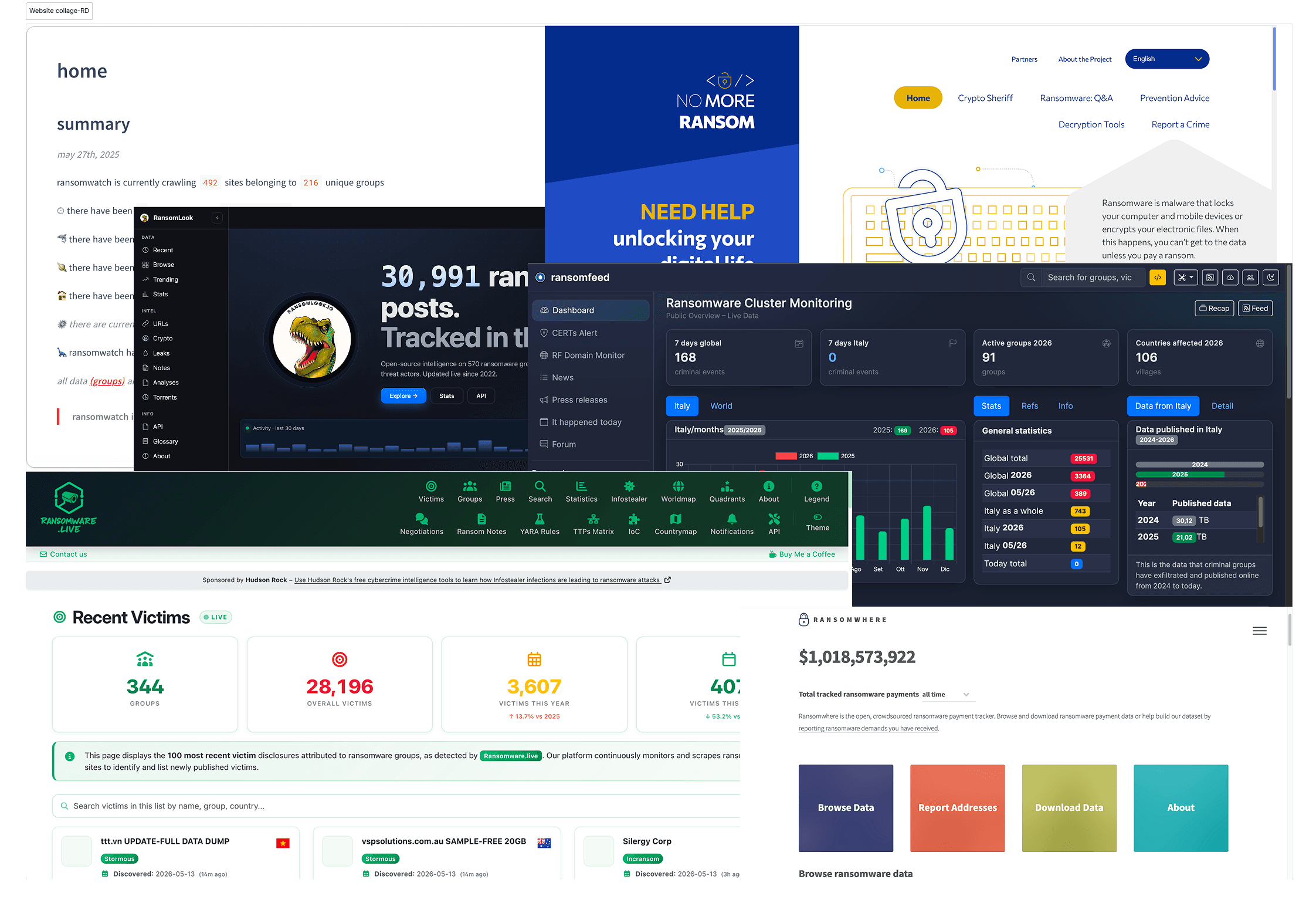
We didn't run user interviews. Our access to end users was mediated, but the channels we did have were consistent and close to the work.

Three research inputs shaped the design:
Stakeholder requirements from the client's leadership. They defined what the dashboard had to do, which threat categories mattered, which metrics leadership needed visible, which data sources had to be consolidated. Six open-source ransomware platforms had been in use across the analyst team; comparing them line-by-line surfaced the inconsistencies in structure and terminology that the dashboard would need to normalize.
A senior analyst embedded in nearly every client meeting. Same person throughout the project. They translated stakeholder priorities into how analysts actually worked, where drill-down mattered, where scan-level was enough, which fields analysts checked first when a new incident came in.
Two rounds of wireframe review with the client and analyst turned early structure into shipped design. Round one focused on hierarchy and page structure . Round two focused on data density and readability at scale. It was stakeholder-driven design with consistent domain-expert validation, the model most enterprise B2B vendor work actually runs on.
SOLUTION
One dashboard, two ways of working
Three screens, layered by depth. Overview for the scan. Groups for the comparison. Group Detail for the drill-in. Same dashboard, same data — the entry point changes with the question being asked.
CORE SCREENS

Overview dashboard - The landscape at a glance
Total groups, victims, and ransom paid as KPIs. Top 10 impacted sectors and top 10 targeted countries. Filterable incident table below.
Why: Scan-level work needs situational awareness in seconds, not navigation. The Overview answers "what does the ransomware landscape look like right now?" without requiring the user to know which group, sector, or country to investigate first.
Tradeoff: Top 10s cap what's visible. Anyone tracking a group, sector, or country below the top-10 has to drill in to find it.

Group - the comparative layer
Top 10 groups and top earners by ransom amount. Victim rankings by category. Filterable groups table — sector, ransom range, time period, activity status.
Why: Analysts investigating an active case rarely start with a single group in mind. They compare. Who's active right now? Who targets this sector? Who's earned the most this quarter? Groups is the pivot between landscape and specific actor.
Tradeoff: Groups sits between two more direct views. Fast questions get answered on Overview; specific-group questions get answered on Group Detail. Groups earns its keep only when the question is comparative.

Group details - the single-actor deep dive
Group-level metrics — first attack, total victims, total ransom earned. A short descriptive summary. Top 10 targeted sectors and countries. Full victim table.
Why: Once an analyst identifies a specific group, they need every relevant fact on one page — history, scale, victim list, sector patterns. Group Detail is designed to answer "tell me everything about this group" without additional navigation.
Tradeoff: This is the densest page in the dashboard. On a smaller screen or a quick check, it's more than the user needs.
impact
What shipped, and what we can't measure
The dashboard shipped in 2025. Analysts who had been pulling data from six separate open-source platforms now work from one internal view - same data, one interface, one source of truth for the team.
What we delivered: a three-screen IA (Overview, Groups, Group Detail), hi-fi wireframes ready for engineering handoff, and documentation aligning the six normalized data sources to the dashboard's structure.
What we can't measure: We don't have post-launch usage data, time-to-insight benchmarks, or analyst feedback from real incident work. The consolidation is real. The impact on analyst workflow is credible but unproven from our side